Custom ROMs vs. Modded APKs: Picking the Right Tool for Your Android Power Trip
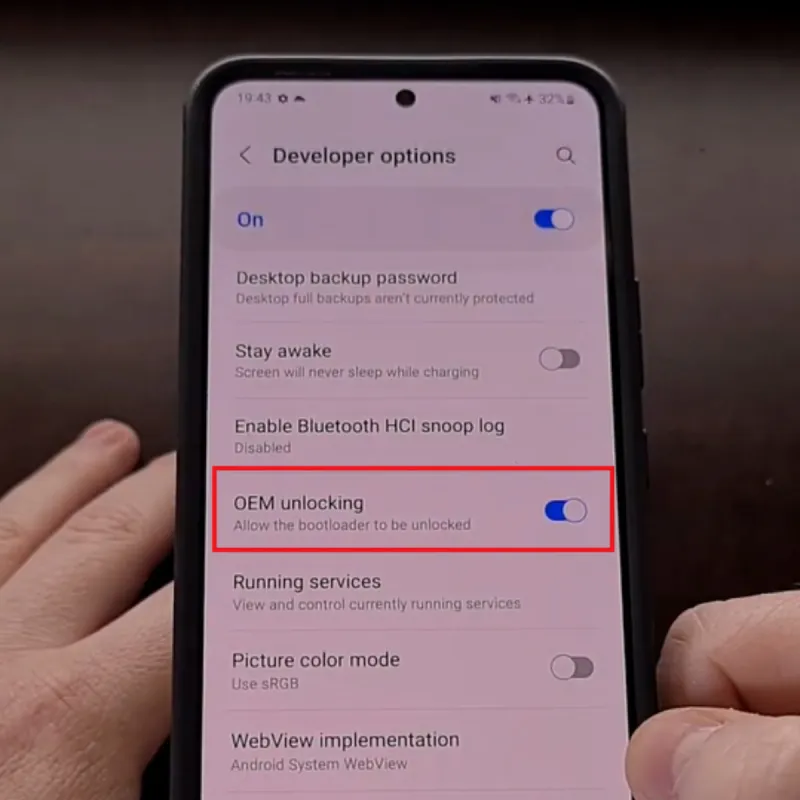
Photo: Android smartphone custom software developer settings unlock, via xiaomiui.net
If you've spent any time in the Android modding scene, you've probably heard both terms thrown around like they're interchangeable. They're not. Custom ROMs and modded APKs operate at completely different levels of the Android stack, and choosing the wrong one for the job is like using a sledgehammer to hang a picture frame — or a tack hammer to knock down a wall.
Let's break this down properly so you can stop guessing and start customizing with intention.
The 10,000-Foot View: What Each One Actually Does
Modded APKs are modified versions of individual apps. A developer (or a community modder) takes an existing application, cracks it open, makes targeted changes — removing ads, unlocking paid features, bypassing restrictions — and repackages it for installation. The rest of your phone stays exactly the same. Your OS, your kernel, your stock apps — all untouched.
Custom ROMs are a different animal entirely. A ROM (Read-Only Memory, though the term is used loosely now) is essentially a complete Android operating system build created by a third party. When you flash a custom ROM, you're replacing your phone's entire software foundation — the OS, system apps, and core functionality — with something built outside of your manufacturer's ecosystem. Think LineageOS, GrapheneOS, CalyxOS, or Pixel Experience.
One changes an app. The other changes the whole operating system. That distinction matters enormously when you're figuring out which path to take.
When Modded APKs Are the Right Call
Modded APKs shine in specific, targeted scenarios. If your goal is narrow — get a specific app to do something it wasn't designed to do — a mod is almost always the faster, lower-risk path.
Great use cases for modded APKs:
- Removing in-app ads from an otherwise solid free app without paying for premium
- Unlocking premium features in apps where the free tier is artificially limited
- Bypassing regional restrictions on apps that aren't available in the US Store
- Enabling hidden developer features that an app has but doesn't expose to regular users
- Extending app functionality on devices that aren't officially supported
The barrier to entry is low. You don't need to unlock your bootloader, you don't need a PC, and you don't void your warranty in most cases. You just enable "Install unknown apps" in your settings, sideload the APK, and you're done. If something goes wrong, you uninstall it.
For most casual modders and even plenty of power users, this is all you ever need. If you're running a Pixel 7 or a Samsung Galaxy S23 and you just want to get more out of specific apps, a well-vetted modded APK gets you there without any drama.
When Custom ROMs Are Worth the Complexity
Custom ROMs are for when the problem isn't a single app — it's the whole Android experience your manufacturer shipped you.
Where custom ROMs genuinely deliver:
- Privacy hardening: GrapheneOS on a Pixel device is widely regarded as the most privacy-respecting Android experience available anywhere. If you're serious about limiting Google's reach into your device, no modded APK can get you there — you need to replace the OS itself.
- Extending device lifespan: Got a OnePlus 6T or a Galaxy S10 that's been abandoned by its manufacturer? LineageOS can get you up-to-date Android security patches and OS versions years after the OEM stopped caring.
- Debloating at the system level: Carrier and manufacturer bloatware often can't be fully removed without root or a custom ROM. If you want a truly clean system, ROM flashing is the answer.
- Performance optimization: Some ROMs are built specifically for performance, stripping out background services and optimizing the kernel for responsiveness.
- Full root access: While you can root without flashing a ROM, many custom ROMs come with Magisk integration baked in or make the rooting process significantly cleaner.
Device compatibility is the critical factor here. Custom ROM support is not universal. The Pixel lineup has the best support — Pixels are practically built for this, with unlockable bootloaders and active developer communities. Devices like the Fairphone 4 and various OnePlus models also have strong ROM ecosystems. Samsung's Knox security makes ROM flashing more complicated and often triggers permanent warranty flags.
Before you commit to flashing a ROM, check XDA Developers for your specific device model. If there's no active development thread, you're probably looking at a dead end.
Side-by-Side: The Real Trade-offs
| Factor | Modded APKs | Custom ROMs |
|---|---|---|
| Difficulty | Low to moderate | Moderate to high |
| Risk level | App-level risk | Brick potential if done wrong |
| Scope of change | Single app | Entire OS |
| Device compatibility | Universal | Device-specific |
| Reversibility | Easy — just uninstall | Requires reflashing stock ROM |
| Privacy gains | Limited | Significant (especially GrapheneOS) |
| Performance impact | Minimal | Can be substantial |
| Warranty impact | Usually none | Often voids warranty |
The Hybrid Approach (This Is What Most Power Users Actually Do)
Here's the thing: these two approaches aren't mutually exclusive. The most capable Android setups typically combine both.
A common power-user stack looks like this: Flash LineageOS or a similar ROM to get a clean, updated Android base. Use Magisk for root. Then layer in modded APKs for specific apps where you want additional control or features the stock version doesn't offer.
This gives you system-level control and app-level flexibility. You get the debloated, updated OS foundation from the ROM, and you get the targeted functionality tweaks from mods. It's more setup work upfront, but the result is an Android experience that's genuinely yours.
Practical Recommendations by Scenario
You have a Pixel 6 or newer and care about privacy: Flash GrapheneOS. Full stop. Nothing else comes close for privacy-conscious users, and Pixels are purpose-built for this.
You have an older phone the manufacturer abandoned: LineageOS is your best bet for extending its useful life. Check XDA for your device's support status first.
You just want better apps without messing with your OS: Stick to vetted modded APKs. Keep your stock ROM, enjoy your warranty, and mod at the app level.
You're on a carrier-locked Samsung: This is the hardest path. ROM options are limited, Knox complicates everything, and the risk-reward ratio shifts. Modded APKs are probably your better play here.
You're new to all of this: Start with modded APKs. Get comfortable with sideloading, learn to vet files properly, and understand how Android permissions work. ROM flashing will still be there when you're ready.
The Bottom Line
Custom ROMs and modded APKs are both legitimate tools in the Android customization toolkit — they just belong in different drawers. Knowing which one to reach for depends entirely on what you're trying to accomplish.
Mod an app. Flash a ROM. Do both. Just do it with a clear sense of what you're getting into, what your device supports, and what you actually want out of the experience. That's what separating the real Android power users from the people who bricked their phones chasing hype.
Welcome to the club.